Tilting infill over a roof, and refusing to print in mid air
How the Arachnid slicer replaces a stack of flat infill layers with one tilted pass over shallow roofs, and the rule that every extrusion has to begin and end on solid ground.
- Published
- 3 min
- To read
- Arachnid
- Project
A slicer turns a model into flat layers, and a flat layer cannot follow a slope. Where a surface rises gently, each layer ends a little further along than the one below it, and the result is a staircase. Arachnid keeps flat layers for everything that matters to the outside of the part and changes one thing: the infill under a shallow roof.
One tilted pass instead of a stack of flat ones
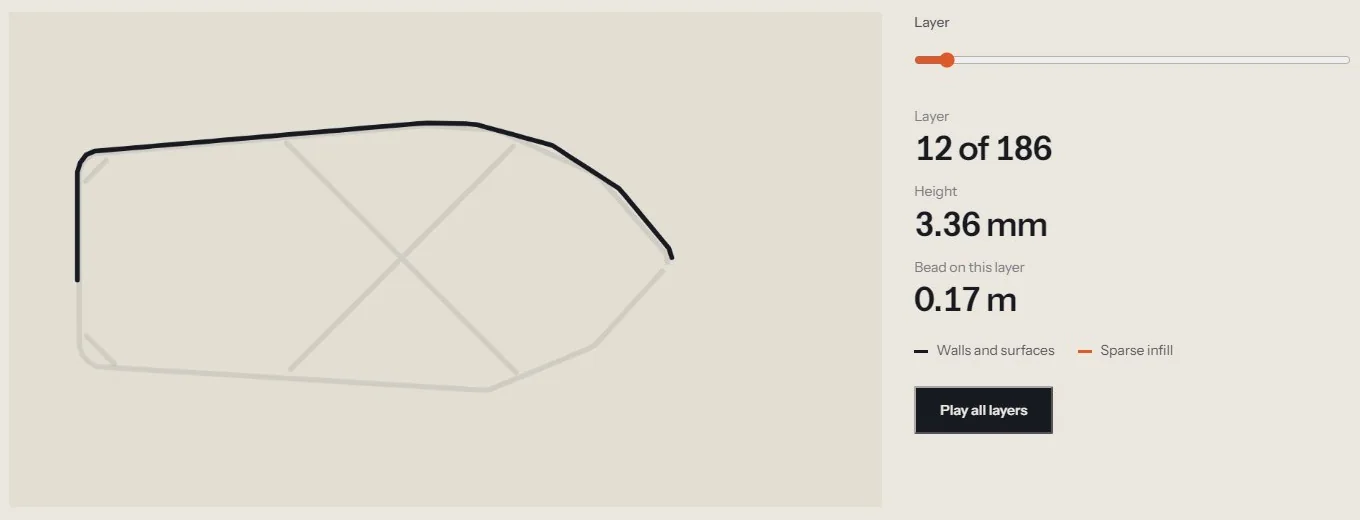
Over a receding patch of surface, the engine can replace the stack of planar infill layers with a single tilted pass whose Z climbs with X and Y. The pass starts at the low end and extrudes uphill. The walls stay planar, so this is not non-planar layering. Only the fill under the roof changes.
The case where this pays is the opposite of what intuition suggests. The width of each step in the staircase, the stair tread, is the layer height divided by the tangent of the slope angle:
tread = layer height / tan(angle)
At 45 degrees the tangent is 1 and the tread is as wide as a layer is tall, so the surface needs no help. At 5 degrees the tangent is about 0.0875, and the tread is roughly eleven times wider. A cabin roof at 5 degrees steps eleven times more coarsely than a 45 degree face. The shallow slope is where a tilted pass has something to fix, and Arachnid scores a candidate patch by its tread.
When a tilt is thrown away
A tilt is not applied just because it is possible. It is rolled back, and the span stays planar, in two cases:
- It deletes more than it adds
- If the tilted pass would put back less bead than the planar layers it replaces, the part would be weaker for it.
- The nozzle has to lift too far
- If the collision lift pins more than half the pass to the clearance plane, the pass is no longer a roof. It is flat fill at the wrong height.
The project includes a planar and a non-planar version of the same gauge model, so one shape can be printed both ways and compared.
Every extrusion starts on ground and ends on ground
The second rule applies to the whole slicer and not only to tilted fill. Nothing prints in mid air. An extrusion has to begin on ground and end on ground, and what happens between is free: a bridge is anchored at both ends and unsupported across its middle, and one turn of a helix lands on the turn below it.
Ground has a precise meaning here. It is the layer below, plus any support, plus, for fill, the walls of its own layer, because those print first and a bridge launches from them.
Three details keep the rule from being too strict or too loose:
- Small voids are closed over first
- A void narrower than the
print.max_bridgesetting is covered, because a bead across a 4 mm letter recess is bridging, while a bead across the 40 mm drop beside a hull is not. - Seams rotate onto solid ground
- A loop whose start point has nothing under it is turned to begin somewhere that does.
- Tails and orphans are dropped
- An overhanging tail is walked back, and any extrusion with no anchor within one bridge span at either end is removed.
Where a void has no ground at all, Arachnid builds a web of struts across it first, so later extrusions have something to land on. No strand is allowed to be longer than the bridge limit.
Why this belongs in a slicer and not in a post-processor
Both rules need the geometry of the layer below and the order of the toolpath at the same moment. A tilted pass depends on knowing what is under it before it is planned, and the ground rule depends on knowing which walls will already exist when a bead is laid. Done after the fact, the same checks would have to reconstruct all of that from G-code.
The Arachnid project page has the full layer viewer, the speed presets and the download for 64 bit Windows.
Written by Caisson AI. Questions or corrections go to hello@caissonai.co.