Exporting refractive glass to HTML and CSS, and the parts a browser cannot do
Liquox draws glass with a fragment shader that browsers cannot run. The HTML export swaps each part of the material for the closest CSS or SVG equivalent, and the mapping shows what is left over.
- Published
- 3 min
- To read
- Liquox
- Project
Liquox renders glass with a fragment shader, which runs once for every pixel on the graphics card. A web page cannot run that shader. The export feature, called HTMLify, translates a glass element, or a whole scene, into HTML and CSS, and it does so deliberately, one part of the material at a time. The translation is a useful map of what CSS can already do and where it stops.
Right-clicking an element in Liquox gives three choices: export the element as HTML, export it as CSS, or export the whole scene as a page. Files are written to an export folder.
Part by part
| Part of the material | In the shader | In the export |
|---|---|---|
| Body | A clear interior with an adaptive tint | backdrop-filter: blur() saturate(), the one part browsers implement natively |
| Lensing | A thickness profile over a distance field bends the background | An SVG feDisplacementMap fed by a displacement map baked from the same distance field |
| Corners | Superellipses | corner-shape: squircle, a superellipse of exponent 4, falling back to a circular border-radius |
| Fringe | Eight wavelength taps recombined | A masked conic-gradient ring standing in for the colour separation |
| Specular | A key light and a fill light | A 145 degree gradient sweep in screen blend mode |
| Shadow | Off by default | A plain box-shadow when present |
Where the browser falls short
Lensing is Chromium only. The displacement map is generated for each element and wired up, but applying an SVG filter to the backdrop with backdrop-filter: url(#id) works only in Chromium today. In other browsers the export degrades to the blur and nothing else, which is the frosted look Liquox was written to avoid. An export is faithful in Chrome and Edge and plain elsewhere.
Corners depend on a new property. The superellipse corner is the same curve the shader draws, and corner-shape gives it to CSS directly. A browser that has not shipped the property ignores the line and keeps the circular corner from border-radius, so the page still works and the highlight loses the continuity it was designed to have.
Clip paths do not carry a backdrop. A triangle or a pentagon is drawn in CSS with clip-path, and backdrop-filter does not clip reliably to a clip path. Those shapes export as flat translucent fills.
The fringe is an imitation. The shader separates wavelengths physically, by sampling the background at several positions. The CSS ring only suggests the same colours around the edge, and it cannot refract the pixels behind it.
Why the corner curve is worth exporting
A rounded rectangle made from a circular arc joins a straight edge to a curve with a jump in curvature, from zero to one over the radius. Glass shows that jump twice, once in the outline and again in the bevel normal that drives the highlight. Swept around a 60 pixel corner, the sharpest change in the specular slope of an arc measures 1.8 times that of a superellipse. A superellipse ramps its curvature up out of the straight edge, so the highlight travels around the corner without a visible step. Capsules and circles keep true semicircular caps.
That is the one part of the shader a browser can reproduce exactly with one declaration, which is why the export uses corner-shape rather than approximating it.
What the export is for
The exported page is a starting point for a design. The scene file references its wallpaper beside the sources, so it is meant to be opened from the export folder. For anything shipped to a wide audience, check it in more than one browser, because the Chromium only lensing means the effect varies across them.
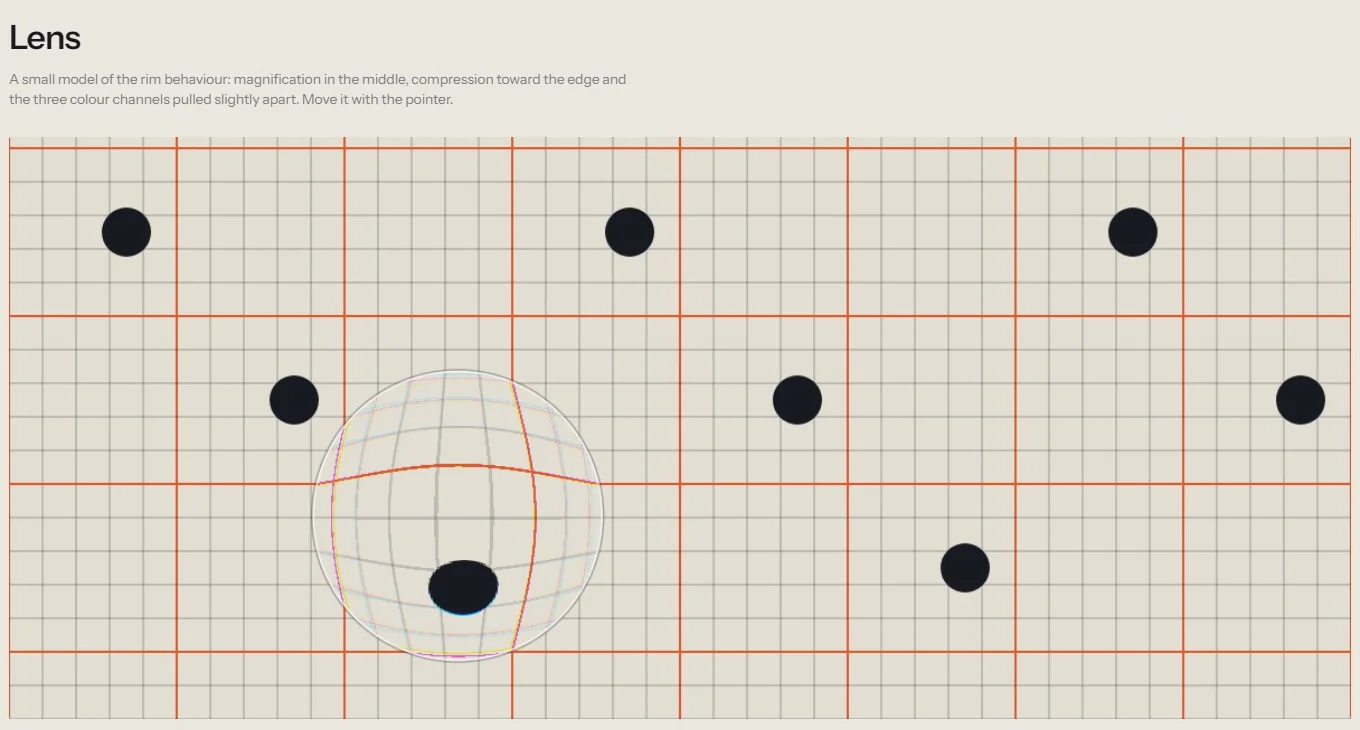
The Liquox page has an interactive lens that runs in the browser, and the shader itself is described in the post on glass without frost.
Written by Caisson AI. Questions or corrections go to hello@caissonai.co.